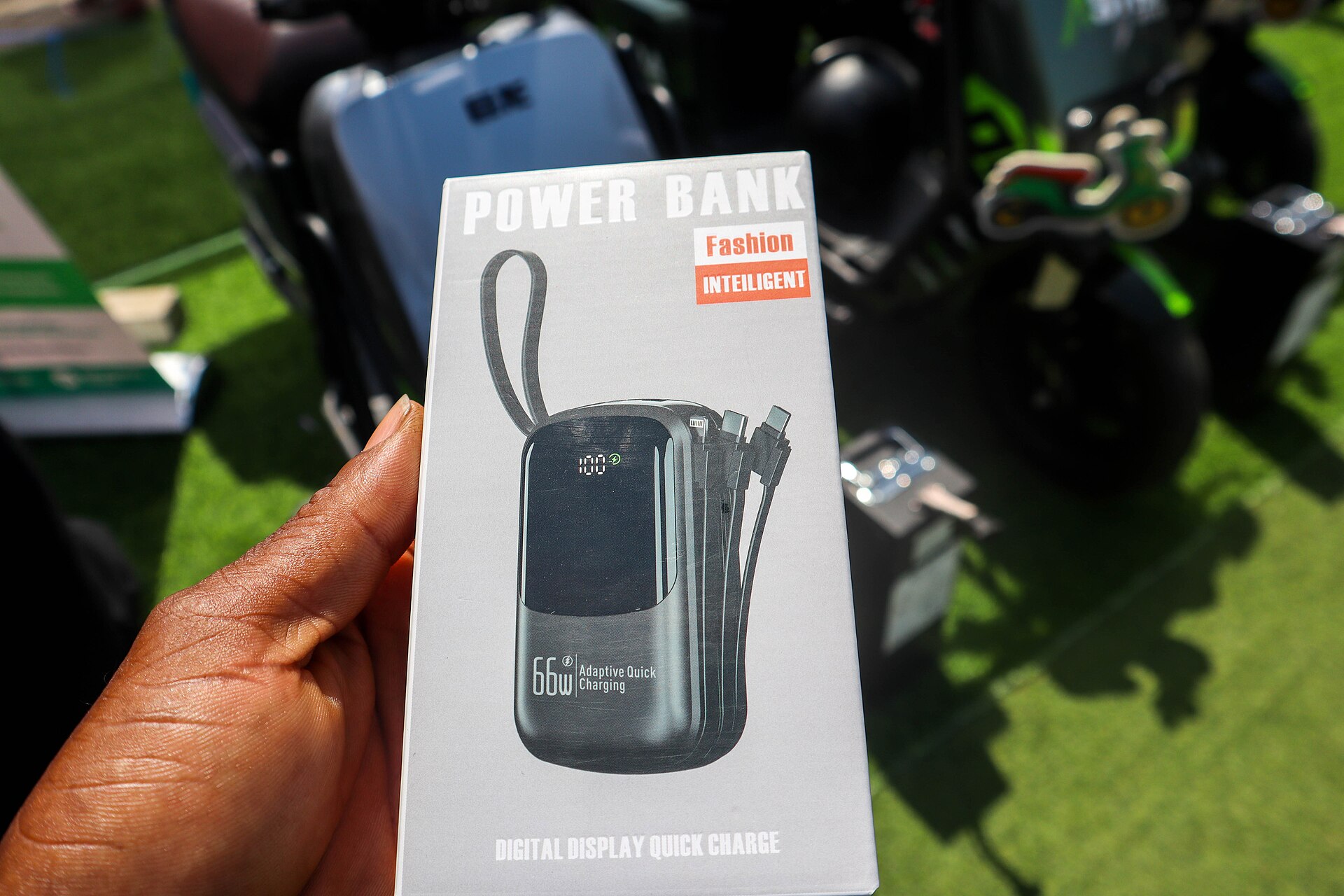
Your phone is your boarding pass, your train ticket, your map and your only way to see that the gate just changed. When it dies at the wrong moment, a smooth trip turns into a queue at the transfer desk.
Most of that is avoidable with ten minutes of preparation at home. This guide covers the three things that cause the most confusion at Norwegian airports: power bank rules on board, getting mobile data sorted with an eSIM, and what to expect from airport Wi-Fi.
It is written for flights in and out of Norway on SAS, Norwegian and Widerøe, but most of it applies anywhere in Europe.
The short version
- Power banks travel in your carry-on, never in checked bags.
- On SAS, Norwegian and Widerøe you may not use or charge a power bank during the flight.
- Charge everything before you leave home, and top up at the gate.
- Install and test an eSIM on Wi-Fi before you travel, not at the baggage belt.
- Screenshot boarding passes and tickets so they work offline.
Power bank airplane rules: what you can bring
Power banks are lithium-ion batteries with no device attached. If one overheats in a suitcase in the hold, nobody can reach it. That is why spare batteries and power banks are banned from checked baggage on every major airline.
In the cabin, the limit is based on watt-hours (Wh), not milliamp-hours. Most phone-sized power banks are well under the main threshold, but it is worth checking the label.
Up to 100 Wh: allowed in carry-on. This covers almost every standard power bank.
100 to 160 Wh: usually allowed only with airline approval, and in limited numbers. SAS, for example, allows up to two larger batteries of this size.
Above 160 Wh: not allowed in passenger baggage.
If your power bank only lists mAh, you can estimate watt-hours yourself. Multiply the mAh figure by the voltage (usually 3.6 or 3.7 V) and divide by 1,000. A 20,000 mAh pack at 3.7 V comes to 74 Wh, comfortably inside the limit.
Protect the terminals too. Keep each pack in its own pouch or the original box so nothing metal can short it in your bag.
The airline power bank limit is now about use, not just size
Bringing a power bank and using one are now two different questions. After the European Union Aviation Safety Agency (EASA) advised against using power banks on board in 2025, the Norwegian carriers tightened their rules.
Norwegian has banned the use of power banks on board since 2021.
Widerøe banned the use of power banks on its aircraft in June 2025. You can still carry one; you just cannot plug anything into it in the air.
SAS stopped allowing power banks to be used or charged on board from 1 December 2025. SAS also asks that they are not stored in the overhead bin, but under the seat in front of you or where the crew shows you, so a hot battery can be spotted quickly.
Rules change, and other airlines on your itinerary may differ. Check the dangerous goods page of each airline you fly with, especially on trips with connections on different carriers.
If you are flying with power banks, the practical takeaway is simple: they are for the airport and the destination, not the flight itself.
Phone charger on the airplane: what is actually on board
Without a power bank, the next question is whether the aircraft has power at the seat. On Norwegian domestic and European routes, the answer is usually no.
Widerøe’s larger jets have charging for phones, while its smaller propeller aircraft do not. Most SAS aircraft have USB charging ports, but you should not plan a long day around one seat working.
The safest habit is to board with your phone at full charge and switch to low-power mode during the flight. Download what you want to watch or read in advance, and turn off background refresh for apps you do not need.
Pack a short charging cable and a compact wall plug in your carry-on. Norway uses the standard European two-pin plug (Type C and F), so visitors from the UK or North America need an adapter.
Norwegian readers who want the onboard rules explained in their own language can find a good overview of powerbank på flyet and other everyday travel tech at Smartpage.
eSIM basics before you fly
An eSIM is a digital SIM profile you download to your phone instead of inserting a plastic card. It is the easiest way to have mobile data the moment you land.
First, check whether you need one at all. Norway is part of the EEA, so if your mobile plan is from an EU or EEA country, roaming in Norway generally works at domestic prices under the “roam like at home” rules. Fair-use limits can apply to data.
Travellers from the UK, the US and elsewhere should check their own operator’s roaming prices. A short-term data eSIM is often much cheaper than daily roaming fees.
If you buy one, do it at home:
- Check that your phone supports eSIM and is unlocked. Many recent phones do, but not all models in every market.
- Install the eSIM on Wi-Fi before you leave. The QR code or app setup needs a connection, and you do not want to rely on airport Wi-Fi for it.
- Label the lines. Name your home SIM and travel eSIM clearly, so you know which one is using data.
- Turn the eSIM on when you land, and keep your home line active for calls and texts if you need bank codes or airline messages.
Most travel eSIMs are data-only. That is fine for maps, messages and airline apps, but remember that one-time codes from your bank may still arrive by SMS to your normal number.
Airport Wi-Fi in Norway
Avinor’s airports offer free Wi-Fi, and at large hubs like Oslo Gardermoen it is usually good enough for messages, maps and checking the live flight board. It is still shared public Wi-Fi, so treat it that way.
Connect only to the official network name shown on signs in the terminal. Avoid logging in to your bank on public Wi-Fi if you can use mobile data instead, and keep your phone’s software up to date before the trip.
Do not count on Wi-Fi for anything time-critical, like downloading a boarding pass five minutes before the gate closes. Save boarding passes to your phone’s wallet or take screenshots while you are still at home.
A simple pre-flight checklist
The night before:
- Charge your phone, power bank and headphones to full.
- Check each power bank’s Wh rating and pack it in carry-on.
- Install and test your eSIM if you need one.
- Save boarding passes, train tickets and your accommodation address offline.
At the airport:
- Top up your phone at a charging point near the gate.
- Keep power banks out of the overhead bin if you fly SAS.
- Connect to official Wi-Fi only, and check gate changes on the board.
If your trip starts at Gardermoen, our Oslo Airport guide covers transfers into the city, and the notes on connecting through Oslo Gardermoen help if you have a tight change. For carry-on space, see packing light for Norway hops.
Final thought
Travel tech problems are rarely dramatic. They are a phone at four percent, a QR code that will not load, or a power bank you are suddenly not allowed to use.
Sort them at home, and the airport becomes what it should be: a place you pass through on the way to somewhere better.
Cover photo: Esthee2010, CC BY-SA 4.0, via Wikimedia Commons.


